
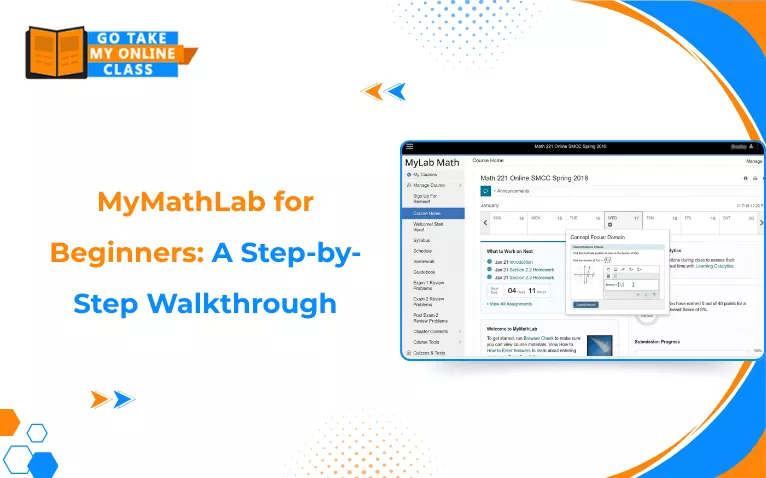
MyMathLab (now officially named MyLab Math) is an online teaching and learning platform created by Pearson. It pairs with math textbooks to give students interactive homework, quizzes, and a digital textbook, while letting teachers grade work and track progress automatically. If you are a student new to this platform, this guide to MyMathLab for beginners will answer your initial questions. Let’s get started.
Key Takeaways on MyMathLab for Beginners
- MyMathLab grades homework instantly, so students can learn from their mistakes right away.
- The platform also offers features like “Help Me Solve This” to guide students through a problem that they might get stuck on.
- It includes a digital version of the course textbook, available online.
- Instructors can create personalized practice based on students’ quiz results.
- The Pearson+ App lets students study and review material on their phone.
How to Register for MyMathLab with Course ID?
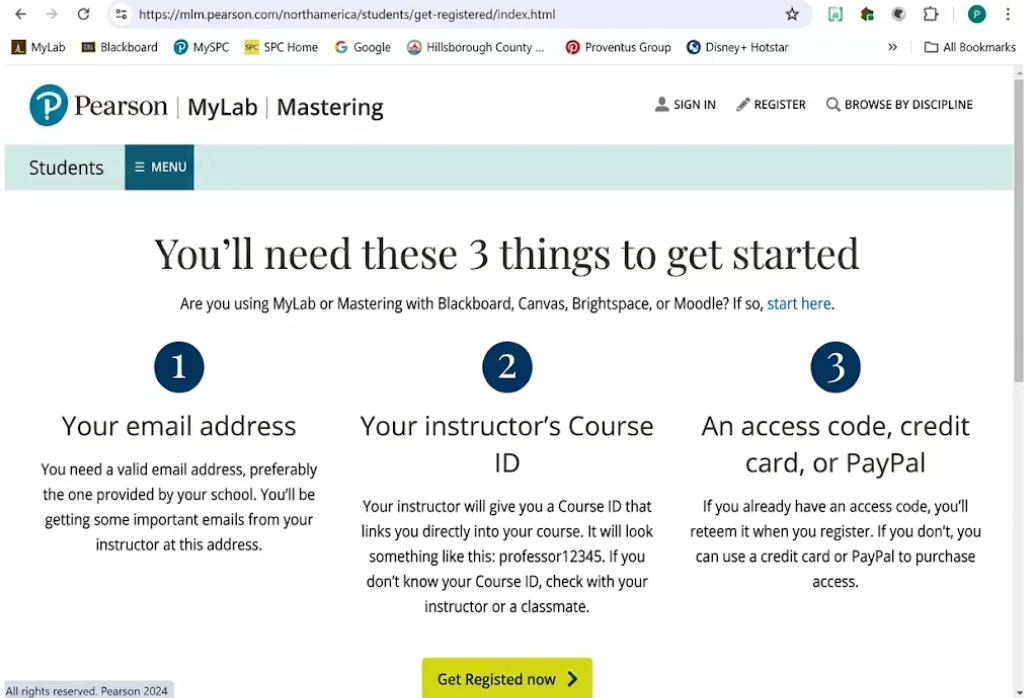
Here’s a step-by-step MyMathLab student registration guide:
Step 1: Go to the Pearson MyLab & Mastering Registration Portal. Select Student under the Register section.
Step 2: Enter the Course ID provided by your teacher and click Continue. The Course ID links you directly to your course.
Step 3: Sign in with an existing Pearson account or click Create an account.
Step 4: Choose your payment option:
- If you have a prepaid access code, enter and redeem it during registration
- If you don’t have any, buy access using a credit card/PayPal
- If you are waiting on funds, select the Temporary Access link
Step 5: Click Go to your course to finish setup.
Where Do I Find My MyMathLab Course ID?

Students need to ask their math instructor directly, as the instructor is the only person who can generate and share this Course ID. Check your university welcome email or your course syllabus.
If your course links directly from Canvas or Blackboard without requiring a code, you do not need a Course ID to register.
Pearson MyLab Math Tutorial for Students
The Pearson MyLab Math homepage acts as your central hub for course management, electronic learning text delivery, and assigned assessments. Getting familiar with the interface makes it easier to move between sections during day-to-day use.
1. Understanding Portal Elements
In your custom workspace panel, you can
- Check active alerts
- Review the institutional directory
- Organize your favorite products
You can filter modules easily between active, hidden, and expired. To get the full table of contents, open your web-based digital textbook. In the online viewer, you can
- Save review notes
- Apply different highlight colors
- Add custom bookmarks
- Stack flashcards
- Adjust font display sizes to your personal preference
You can also instantly access individual courses, full electronic materials, and and calendar view with the default tabs across your main dashboard.
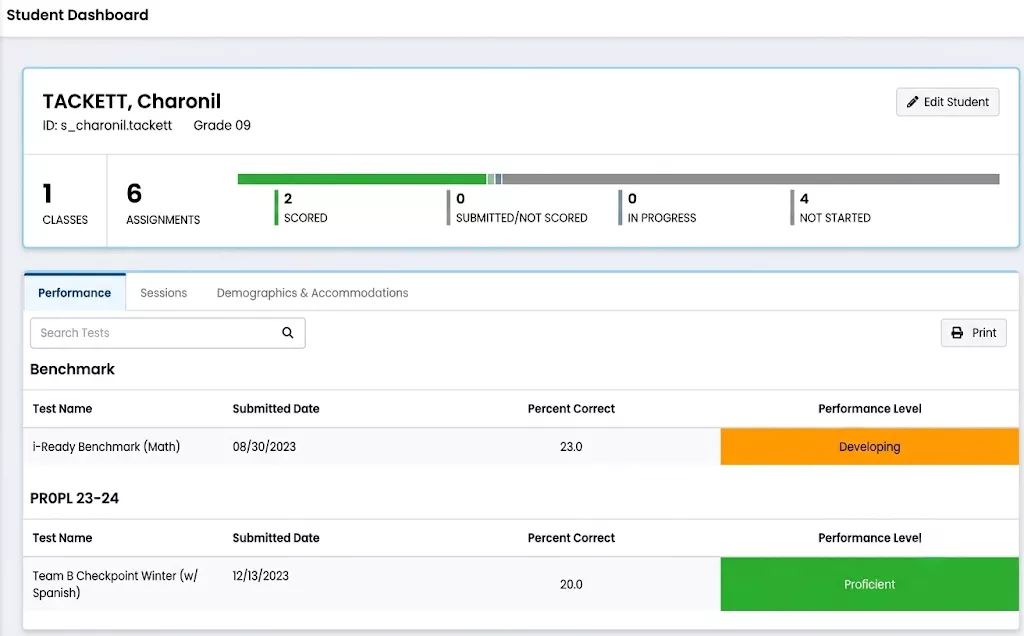
2. Assignment Visual Identifiers
Assignments display distinct geometric shapes and colors, signaling their category in MyMathLab vs ALEKS.
| Visual Indicator | Assignment Category | Core Performance Rule |
| Blue Circle | Homework Assignments |
|
| Yellow Square | Quizzes |
|
| Green Diamond | Practice Tests |
|
How to Submit Homework on MyMathLab?
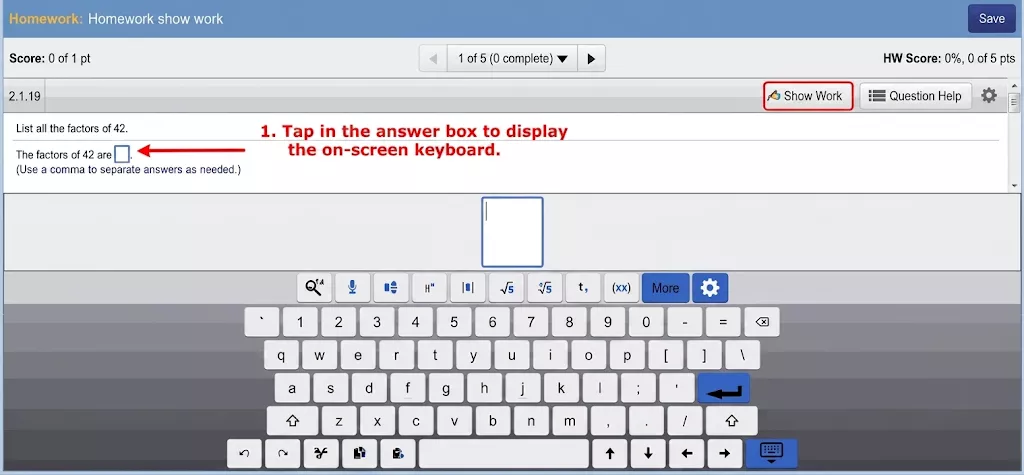
To submit homework on MyMathLab, follow these steps:
- First, log into your account via the Pearson MyLab Portal or your school’s learning management system.
- Then, check your Assignments tab and select your specific homework link.
- Enter your MyMathLab answers directly into the assignment player workspace. You do not need to submit the whole document at once. Your progress is saved continuously on a question-by-question basis as you work.
- Once you are done solving the problem, click the Check Answer button. You will receive instant automated scoring.
Your points will immediately update in your personal gradebook and sync with your school’s portal.
How to Confirm If My Homework Is Saved on the System?
To confirm your work is logged, open your “Completed Assignments” list and look for a finalized status. If your work is logged, your score will be visible next to the assignment name. You will also see a Review link next to it, confirming the system has recorded your submission.
How Do I Enter Fractions or Math Symbols in MyMathLab?
You can add fractions or math symbols using MyMathLab’s syntax palette, which is provided in the answer space. Be mindful that the system is very rigid about the formatting. Even a mathematically correct answer can be marked wrong if the syntax is off. Know more about the common mistakes students make on MyStatLab and MyMathLab here.
To prevent formatting errors, memorize these quick-entry keyboard and palette guidelines from the following infographic:
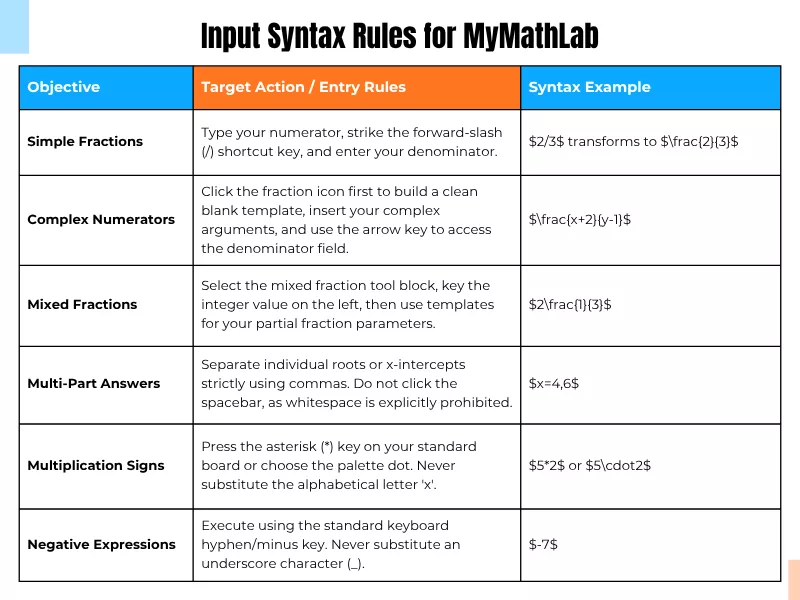
For additional symbol instructions, review the official Pearson Math Palette Help Guide.
MyMathLab Help Me Solve This Feature Explained

MyMathLab’s Help Me Solve This is an interactive tool that guides students step-by-step through the exact problem they are currently stuck on.
- It breaks down the current problem into multiple steps rather than offering direct answers.
- It asks students to calculate and type in answers along the way to ensure they understand the solving process of the equation.
But note that the system will mark your actual assigned problem as incorrect for using the tool to get the solution. However, you can still get the credit. To do that,
Click the Similar Question button after closing the tool event or MathXL to get accurate answers for MathXL.
Get a new version of the problem generated with different values.
Solve it on your own correctly and earn full points.
Please note that this feature is available in untimed homework and Study Plan practice exercises, and only if your instructor has enabled it.
If you are taking high-stakes assessments like a final online math exam or a timed quiz, this feature is generally not available.
What Is the Difference Between “Help Me Solve This” and “View an Example”?
Pearson MyLab Math offers another aid called “View an Example,” which students often mistake for “Help Me Solve This”.

Unlike “Help Me Solve This,” which offers a guide for the exact assigned problem, “View an Example” offers a fully worked-out solution to a parallel problem with different numbers. Here’s the comparison table that illustrates other differences easily:
| Feature | Help Me Solve This | View an Example |
| Your Input | Requires you to type answers at each step. | Read-only; no student input required. |
| Homework Credit | The system generates a new version with different numbers; you must solve it yourself for credit. | Keep your original numbers; you can enter the answer immediately. |
| Best Used For | When you are stuck and need active practice. | When you just want a quick reference guide. |
The “View an Example” feature is available under almost the exact same conditions as “Help Me Solve This,” at the instructor’s discretion.
Can I Hire Someone to Do MyMathLab Homework?
Yes! It is possible and a smart choice. Let’s look at why:
While MyMathLab problem breakdown & step-by-step solvers exist as student aid features, they are not always helpful. Some students even reported that these features often show solutions that are not similar to their core problem, or the assigned questions are not taught by their instructors. Plus, getting an answer marked wrong since it failed to satisfy the system’s rigid formatting is another kind of pain.
Taking help from professional math experts to take my online class for me and do the homework is a strategic option. Tasks are given to qualified math experts to solve, and these experts are familiar with Pearson’s technical nuances and platform rigidity.
In short, they have hands-on experience navigating the system and entering answers that comply with its formatting standards.
If you are looking for professional math tutors who can help you complete your MyMathLab homework and assessments, contact GoTakeMyOnlineClass today!
Frequently Asked Questions
How to review past assignments in MyLab Math?
You can review your past assignments in your gradebook tab from the menu panel. Here you can find both completed and past-due assignments. Choose any and click on the Review button. The player will open the assignment. For completed ones, a header notice states that any work you do now won’t change your recorded score. If your instructor has enabled the setting, you can see the submitted work with both wrong and correct answers.
Can I use MyMathLab on a phone or tablet?
You can review your eTextbook on your phone via the Pearson+ App, and access MyMathLab homework through a mobile browser. However, it is recommended to use a laptop or desktop computer for the best experience since a small screen can feel cramped and clunky. Also, some question types may not be supported in mobile browsers.
What is MyMathLab Study Plan?
The Study Plan module is independent of the normal course requirements. It tracks students’ weaknesses and provides customized assessments to build conceptual understanding. It contains three tabs:
- Recommendations: