

MyStatLab is a boon for modern academic students and instructors, allowing automatically graded coursework and practicing statistical concepts. MyStatLab is designed to make statistics interactive and convenient, but one tiny mistake can make it really frustrating to handle. Do not worry, you are not alone, as more than 40 percent of students face the same issue. Like many, you can have questions- how to stop MyStatLab rounding errors in Statistics and how to use the right format. Here, you get to know the 5 common mistakes students make on MyStatLab to be more self-aware in this journey. Keep reading.
Key Takeaways on MyLab Statistics Common Errors
- MyStatLab is a popular online learning platform that can be tricky for students in many ways.
- You need to look out for five MyLab statistics errors, which can be rounding errors, MyStatLab wrong answer format, incorrect entry in StatCrunch, etc.
- The MyStatLab feature toolkit can assist you in catching mistakes and rectifying them instantly.
- Some tips to avoid committing such mistakes are reading instructions correctly, checking units and notations, checking exact test parameters, etc.
Why Is MyStatLab Marking Correct Answers Wrong?
MyStatLab is a widely used online learning platform from Pearson that is especially designed for statistics and mathematics courses. It is used by university professors and instructors to assign homework and practice problems to students. Students need to enter answers directly into the system, which checks them against the expected format.
But using MyStatLab is not that simple. It flags correct answers as wrong, which puts students in a state of panic. The reasons why MyStatLab marks correct answers wrong are many. Some reasons can be Pearson MyStatLab rounding errors, incorrect tail or confidence level, using the wrong palette symbols, and confusing sample vs. population parameters. There are other errors that you can check in the upcoming section.
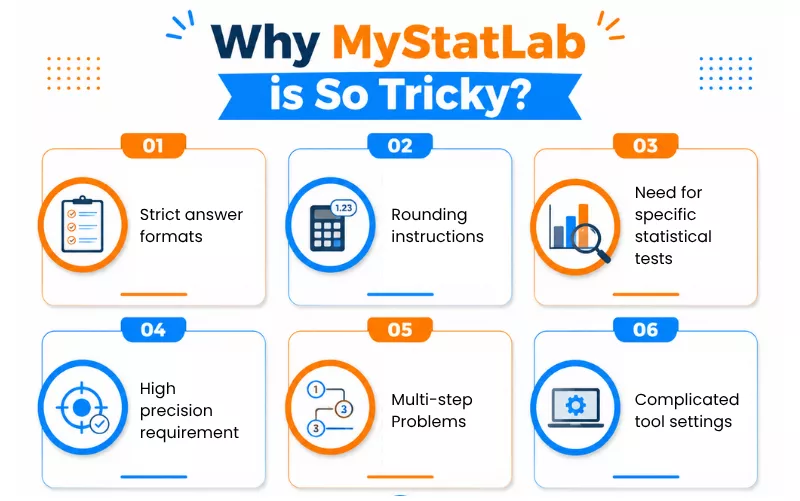
5 Common Mistakes Students Make on MyStatLab
To efficiently handle MyStatLab and get accurate results, you must avoid certain common errors. Here are the top 5 mistakes students make on MyStatLab homework that cost them their effort, time, and most importantly, GPA:
Entering Wrong Answer Format
One of the common mistakes students make on MyStatLab is entering a correct mathematical answer but in a format that is not acceptable in the system. It stems from a lack of familiarity with the MyStatLab features. Students use decimals instead of fractions when an exact fraction is needed, enter percentages incorrectly, and use the wrong notation for intervals like ( 2, 6 ) instead of [ 2, 6 ].
Students sometimes do not use the requested notation for statistical values and intervals. It is important that before you click submit, you read the format instructions and use the input format correctly to avoid MyStatLab wrong answer format.
Expert’s Advice: When entering MyMathLab answers, be mindful of the format to avoid getting wrong answers.
Rounding Errors
It becomes more stressful to handle calculations when you make Pearson MyStatLab rounding errors. Rounding too early, using the wrong decimal places, and confusing decimal places with significant figures make calculations tougher and more challenging. It is tricky when you are using an approximate intermediate value, like replacing 2.3678 with 2.36 before completing the calculation.
This can slightly change the final answer. Some questions specify a particular rounding rule. To overcome Pearson MyStatLab rounding errors, keep at least 4 to 6 decimal places throughout the calculations.
Selecting Wrong Statistical Test
One of the MyLab Statistics common errors is choosing the wrong statistical test, or rather getting confused about selecting the right one. Several statistical tests are more or less for the same purposes, and selecting a wrong test leads to wrong answers even if your calculation is correct. Typical mistakes look like using a z-test instead of a t-test when the population standard deviation is not known, or using an independent-samples test when the data are paired.
Therefore, before selecting the test, identify what is supposed to be measured, how samples are involved, and what information is given to get accurate MYStatLab and MathXL answers.
Misinterpreting Graphs
One of the common mistakes students make on MyStatLab is misinterpreting and misreading the graphs. This becomes more critical when the questions require extracting precise information from charts and interpreting trends. Selecting a nearby value instead of the exact coordinate, ignoring the scale, missing negative values, and treating a downward slope as a positive relationship or vice versa are common mistakes.
It is best that you never assume that the numerical difference matches the visual size of a graph. Always check the graph title, identify the axes, and locate the exact point.
Incorrect Entry in StatCrunch
Entering the wrong values or selecting the wrong options in StatCrunch leads to wrong MyStatLab answers. Typing a value in the wrong row or column in StatCrunch can change the entire analysis. Similarly, make sure that the numerical data is entered as numbers, and not as text, as selecting the wrong data type is a common mistake. Students often enter the wrong null or alternative hypothesis, or use a one-sample test when the question requires two.
To overcome these mistakes, you can now pay someone to take my online class for get step by step problem guidance in MyStatLab.
MyStatLab Feature Toolkit Cheat Sheet That Can Save You
MyLab Statistics has several built-in tools that can assist in catching mistakes that can cost you your grades. The availability of this toolkit varies with the course and assignments:
| Feature | Use | Point Saving Habit |
|---|---|---|
| Help Me Solve This | For step-by-step guidance. | Use when you are unsure. |
| Math Palette | For fractions, roots, special notation, and symbols. | Use the correct mathematical format. |
| View An Example | Can check a worked example | Compare the method. |
| Get More Help | Additional resources. | Use when you are not satisfied with the first explanation. |
How To Avoid Losing Points on MyStatLab?
The answer is simple but tricky. You have to focus both on the statistics calculation and the way you enter the answer. But then, again, a common question most ask is how to get MyStatLab answers correctly. There is no rocket science involved, nor do you have to be a statistics expert. Here are a few tips to avoid the common mistakes students make on MyStatLab:
Read Carefully
For those overthinking as to how to avoid losing points on MyStatLab, start with a simple practice: reading the question carefully. Know what it is asking, whether it’s for a mean, test statistics, p-value, or confidence interval, or any specific rounding instructions. Read and re-read again before entering your final answer.
Export Data Directly
Selecting the correct dataset is the first step towards solving MyStatLab assignment problems. Verify that you are exporting the data from the correct table or problem and choose the appropriate format, like CSV for moving data between statistical programs. Ensure all the variable names are retained.
Select Exact Test Parameters
Choosing the right statistical test in MyStatLab is not enough. You also need to enter the correct parameters. When experts take my online statistics exam, they take care of these measures. Choose left-tailed, right-tailed, or two-tailed as per the alternative hypothesis. Use the specified confidence level while constructing the intervals.
Set Variable Types Correctly
Variable types directly determine which statistical procedures are appropriate and how the data are to be interpreted. Use categorical variables for groups and labels, continuous variables for measurements, and discrete variables for countable values.
Check Units and Notation
Another significant way to avoid MyLab Statistics common errors is by entering the correct units and notations with the right numerical answers. Students often overlook the statistical notation. Be careful about the difference between variance and standard deviation, and use correct symbols like greater than or less than, etc.
Do Not Wait Till Deadline
Avoid leaving the MyStatLab assignments until the submission date. Begin the assignment early, divide it into manageable sections, and allow sufficient time for corrections. In this way, you get extra time to revisit questions and rectify the MyLab statistics common errors efficiently.
End Note
Learning and practicing statistics in MyStatLab is really convenient. It is known for its interactive practice, instant feedback, statistical tools integration, and convenient online access. Students also get immediate opportunities to review their work and rectify mistakes. But small mistakes gradually turn into a habit. Hopefully, now you can know the common mistakes students make on MyStatLab and will be more careful in the future. You can also reach out to our experts at GoTakeMyOnlineClass to get complete guidance with the learning platform.
Frequently Asked Questions
Should I use fractions or decimals in MyStatLab?
It depends on the question. Use decimals when the question specifies several decimal places or use fractions when no rounding is required.
How many attempts do I get on MyStatLab questions?
The number of attempts in MyStatLab depends on how the instructor configured the assignment. Some allow multiple attempts or one attempt.
How do I avoid rounding errors on Pearson MyStatLab?
The best way to avoid rounding errors in MyStatLab is to follow the rounding instructions, enter trailing zeros when required, and double-check the answers.
Why does Pearson mark right answers as incorrect?
The issue can be with answer formatting rather than the calculation. Some reasons are missing units, incorrect data entry, intermediate rounding, wrong interpretation, sign errors, etc.
Why is my answer format in MyStatLab getting rejected?
The MyStatLab wrong answer format is a common issue. Your format gets rejected if you use fractions instead of decimals, forget negative signs, use the wrong number, etc.
What should I do if I accidentally submit the wrong answer?
If you accidentally submit the wrong answer, check your remaining attempts and use them. You can contact your instructor and ask whether the attempt can be reset.
How to avoid mistakes with confidence intervals?
Confidence interval questions in MyStatLab can be tricky. You must identify the correct interval type, check sample statistics, and avoid premature rounding.
How does MyStatLab mark the answer wrong when it matches the example?
MyStatLab can generate randomized numbers different from the example. It is also possible that the example shows a rounded value and MyStatLab expects more precision.
How do I enter $p$-values that show as 0.000?
In this case, you should not enter 0.000 as the actual p-value. You can enter 0 if the question specifically asks for the p-value and accepts zero.

- What to Do When McGraw Hill Connect Won’t Submit an Assignment? - October 15, 2026
- Top 5 Common Mistakes Students Make On MyStatLab - September 1, 2026
- How Connect Integrates with Canvas or Blackboard LMSs [LTI Integration] - March 10, 2026