
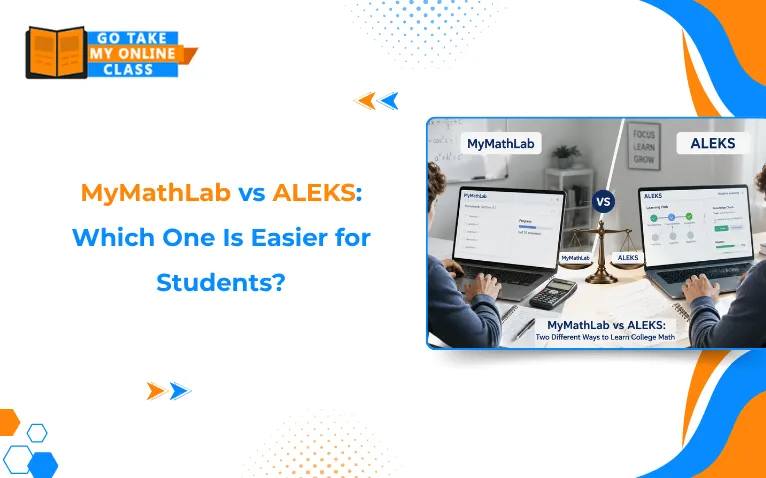
Taking a college math class can be challenging enough without having to learn a new platform. If your course uses MyMathLab or ALEKS, you may be wondering which one is easier to navigate, understand, and keep up with throughout the semester.
Both platforms are widely used by US colleges and universities to support online math coursework, assignments, practice, and assessments. However, they take different approaches to how students learn and complete their work. Features, assignment formats, accessibility, and the overall learning experience can vary by course and instructor.
So, which is easier for students: MyMathLab or ALEKS?
In this guide, we compare MyMathLab vs ALEKS based on ease of use, learning features, assignment experience, flexibility, and student accessibility. By the end, you’ll have a clearer idea of what to expect from each platform and which one may better fit your learning needs.
Key Takeaways: MyMathLab vs. ALEKS
- MyLab Math provides a predictable, instructor-set homework format, while ALEKS uses an adaptive, mastery-based Learning Path.
- MyLab Math often causes issues through strict answer-formatting rules, whereas ALEKS can feel demanding because of recurring Knowledge Checks and dynamic workloads.
- MyLab Math offers stable deadlines and fixed assignments, whereas ALEKS offers dynamic flexibility that shifts based on student performance.
- ALEKS relies on initial diagnostics and retention loops to prove mastery, whereas MyLab Math uses standard assignments and randomized similar exercises.
- Students generally cannot choose their own software, as the college or instructor strictly determines the platform.
Is MyMathLab Easier Than ALEKS?
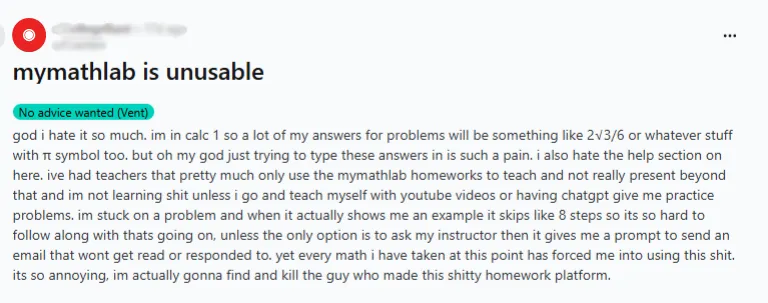
Pearson MyMathLab can be considered easier if you prefer a textbook-based homework and assessment platform. MyMathLab is designed by Pearson. It offers immediate feedback, randomized questions, and features that help students study at their own pace. However, in some courses, it has strict answer-formatting rules (rounding, notation, commas) that can mark correct math as wrong, and multi-part questions can be tedious.
MyMathLab Tools That Can Help Students Solve Questions
- Formatting Traps: MyMathLab may mark a correct answer wrong because of rounding, decimal places, fractions, commas, inequality symbols, or required notation.
- Multi-part questions: MyMathLab often includes several blanks or steps in one question, so one small entry mistake can make the entire problem feel longer and more stressful.
- “Similar Exercise” problems: In MyMathLab, students may click “Similar Exercise” repeatedly to understand the expected answer format rather than simply practicing the math. This can make homework feel repetitive.
- Workload Predictability: MyMathLab usually follows the instructor’s assignment list, so the workload is relatively stable.
- “Help Me Solve This”: This feature can guide students through the problem step by step instead of simply showing the final answer. It can help when a student knows the topic but isn’t sure how to begin or what comes next.
- “View an Example”: Students can review a worked example that demonstrates how a similar problem is solved. This can help them identify the correct process before attempting the original question again.
- Video Tutorials: Video resources can provide additional explanations when the written question or worked example is not enough. Students can use them to review a concept or see how a particular type of problem is approached.
Is ALEKS Easier Than MyMathLab?
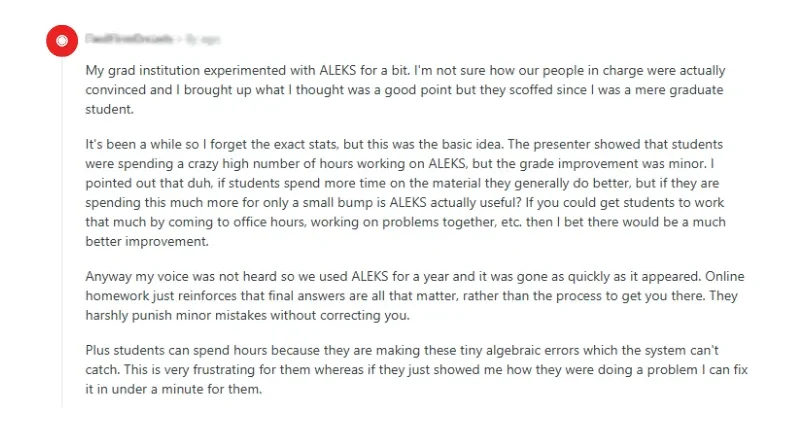
ALEKS can be easier if you prefer personalized, mastery-based learning and don’t mind a changing workload. ALEKS’ adaptive path can actually make the course feel more manageable long-term by systematically filling skill gaps before moving you forward. Adaptive re-testing and repeated practice on weak topics can feel relentless; poor Knowledge Check performance can feel punishing.
ALEKS Features for Students Explained
- Initial Knowledge Check: ALEKS starts with a diagnostic assessment that identifies your strengths and gaps before building your Learning Path.
- Practice loops: ALEKS requires repeated practice until you demonstrate mastery, which can feel slower even when it improves retention.
- Knowledge Checks: ALEKS uses recurring Knowledge Checks that can add, remove, or return topics based on your performance.
- Workload: ALEKS workload may depend on your skill gaps, mastery progress, and Knowledge Check results, so time to meet deadlines is harder to predict.
- Which feels faster: ALEKS may feel faster only if your foundation is already strong; otherwise, its mastery-based loops can take more time.
MyMathLab and ALEKS Comparison: Is ALEKS Math Harder Than Pearson MyMathLab?
| Factor | ALEKS | Pearson MyMathLab |
|---|---|---|
| Overall difficulty | Can feel harder because the platform continuously adapts to what you know and what you need to master. | Often feels more predictable because students generally work through instructor-assigned homework, quizzes, or practice. |
| How questions are assigned | Questions are selected based on your current knowledge and Learning Path. | Instructors can assign specific homework, quizzes, and assessments from a broad question library. |
| Learning Path | Highly adaptive. Your progress can change after Knowledge Checks if you don’t demonstrate retention of a previously learned topic. | Generally follows the instructor’s course and assignment structure, although MyLab also offers personalized and adaptive features in some courses. |
| Practice experience | Practice is closely tied to mastery. Students work on topics they are ready to learn before moving forward. | Students can practice assigned topics and use tools such as guided solutions, videos, and other learning aids. |
| Repeating previously learned topics | More noticeable. A Knowledge Check can move a previously mastered or learned topic back into the Learning Path. | Less central to the standard workflow, although personalized homework and adaptive tools can target areas that need more practice. |
| Help when stuck | Provides explanations and practice within the adaptive learning environment. | Offers question help, videos, examples, and other learning aids depending on the course and assignment settings. |
| Progress feeling | Can feel less predictable because your Learning Path changes according to your performance. | Can feel more predictable because assignments are usually tied to the course structure set by the instructor. |
| Best suited for | Students who prefer personalized, mastery-based learning and don’t mind adapting to changing practice requirements. | Students who prefer structured assignments, clear deadlines, and access to step-by-step learning support. |
| Why students may call it “harder” | Adaptive questions, Knowledge Checks, retention requirements, and changing Learning Paths can make the workload feel more demanding. | Students may find the workload easier to anticipate, although difficult questions or strict instructor settings can still make MyLab challenging. |
| Bottom line | May feel harder for students who want predictable progress. | May feel easier to manage for students who prefer a fixed assignment structure. |
MyMathLab and ALEKS Math Homework Difficulty: Common Student Problems and Solutions
Whether you use MyMathLab or ALEKS, some parts of online math homework can be frustrating, even when you understand the underlying math.
A formatting error in Pearson MyMathLab, a lengthy multi-part question, or a topic that reappears during an ALEKS Knowledge Check can slow you down. Here are some common student pain points and practical ways to handle them independently.
| Student Problem | What Happens | Why It Happens | How to Handle It |
|---|---|---|---|
| Correct Math, Wrong Format | MyMathLab marks an answer incorrect even when the calculation is correct. | The answer may need a specific format, notation, rounding, or input method. | Check the required format before submitting and review the answer-entry instructions. |
| One Multi-Part Question Takes Too Long | A single question can contain several steps or parts, making it feel like an entire assignment. | Each part may require a separate calculation or response. | Break the question into smaller steps and verify the MyMathLab answer for each part before moving on. |
| Similar Problems Change the Numbers | The next attempt looks different even though it tests the same concept. | MyMathLab generates another version of the problem with new values for additional practice. See our MyMathLab guide for beginners. | Focus on the solving method rather than memorizing the previous answer. |
| ALEKS Brings Back a Topic | A topic that seemed completed appears again later. | Knowledge Checks can reassess previously learned material. | Treat the repeat as a retention check and review the underlying concept. |
| Learning Path Changes | The next available topic may not be what the student expected. | ALEKS uses demonstrated knowledge to determine the Learning Path. | Follow the recommended sequence and use the explanation/practice before attempting the topic again. |
Whether you’re struggling to manage ALEKS or MyMathLab, a take my online class service provider can help.
How to Prepare for ALEKS Knowledge Checks?
Students often complain that ALEKS is time-consuming and the ALEKS Knowledge Check is very challenging. If you are struggling with the ALEKS Math Knowledge Check and want to improve your grades, here’s what you can do:
Preparation and Strategy
To get ALEKS Answers, spend more time reading the instructions carefully. This will help you reduce submission errors.
For instance, many students don’t realize they cannot go back to previous questions once answered. Thus, before you hit the “Next” button, be certain that your answer is accurate.
Furthermore, when taking a class in ALEKS, use the “I Don’t Know” button wisely. If you keep guessing wrong answers, ALEKS’s adaptive model will take it as a signal that you lack foundational skills. So, the platform will assign more similar problems, taking more of your time.
Also, keep a notebook around. Keeping a mistake log or writing formulas in a notebook will help you brush up before exams.
Understanding the Results
When using ALEKS, you need to understand the difference between learned topics (practiced correctly) and mastered topics (retained and confirmed independently). Every time you fail to show mastery on a topic during a Knowledge Check, ALEKS moves the topic back to your “Remaining” learning pie slice.
How to Get Better Grades in MyMathLab?
Getting good grades in MyMathLab is not that challenging either. Here are some built-in features you can take advantage of and strategies that might help you with MyMathLab coursework.
Use these interactive guides such as “Help Me Solve This” & “View an Example” while working on homework to see a step-by-step breakdown of a similar problem. Furthermore, if you miss a homework problem, click “Similar Question” at the bottom to get a fresh version and try again to fix your score. Also, review past assignments to know your common mistakes and avoid them as much as possible.
How to Check Answer Formatting in MyMathLab?
- Always use the built-in math palette. Click the Check Answer button to open templates for fractions, square roots, and exponents.
- If the pre-existing text already shows x, then do not type x in the answer box; only enter the value of x.
- Before submitting the answer, always recheck that there are no extra spaces to avoid getting correct answers marked wrong.
Understanding this helps you read your results and track your progress. If you’re worried that unmastered topics might affect your test grades, you can choose reliable online math exam help.
Need ALEKS and MyMathLab Homework Help? Hire Math Experts from GoTakeMyOnlineClass
At GoTakeMyOnlineClass, our 850+ academic experts have been offering online math class help since 2019. Our academic helpers not only provide accurate answers but also complete solution files with step-by-step explanations, helping you understand the problem.
Our experts have hands-on experience with various LMSs, including Pearson MyMathLab, McGraw Hill Connect, and ALEKS, and can help you finish coursework faster.
With 24/7 support and a dashboard for encrypted communication with math experts, you can get help with math classes without any hindrance.
Beyond classes, get help with discussion boards and peer responses, projects and presentation making, and assignment writing from our experts today. Sign up for a free, customized quote tailored to your needs.
Frequently Asked Questions About MyMathLab and ALEKS
Why students find ALEKS easier?
For some students, ALEKS is easier because the adaptive learning algorithm targets their exact skill level, allowing them to work at their own pace.
Is ALEKS harder than Pearson MyMathLab?
ALEKS and Pearson MyMathLab difficulty depends on your learning style. Many students find ALEKS harder because it requires you to prove mastery to advance. Compared with ALEKS, MyMathLab follows a traditional homework-and-test format.
What is the “Similar Exercise” trick in MyMathLab?
MyMathLab randomizes the numbers and values for every student using algorithmic templates. After you use all the attempts your instructor allows, MyMathLab marks the question incorrect and shows the correct answer. You can then try a similar question with new values. Students use the similar question to learn the expected answer format and method before retrying.
Can you test out of chapters in MyMathLab like you can in ALEKS?
Not in the same way. MyMathLab has no built-in diagnostic that rebuilds your whole course path like ALEKS’s Initial Knowledge Check. Depending on your instructor’s settings, personalized homework or the Study Plan can skip objectives you’ve already mastered.
Why do college students complain about formatting errors in MyMathLab?
MyMathLab often requires answers in a specific format (rounding, fractions vs. decimals, interval notation). An entry that doesn’t match can be marked wrong even when the math is right, so college students often complain about formatting errors.
Can I choose which platform I use?
Usually, no. The platform is set by your college, instructor, course, or textbook program, so switching isn’t an option just because you prefer its interface.
How do the two compare on flexibility and accessibility?
Both platforms support online math coursework, but they offer flexibility in different ways.
MyMathLab can feel more predictable when your instructor provides a fixed set of assignments, since you generally know what’s due and can work through the assigned questions.
ALEKS offers more adaptive flexibility because the system can adjust the Learning Path based on what you demonstrate you know. However, that can also feel less predictable: Knowledge Checks may identify gaps in previously learned topics and change what you need to practice next.
For accessibility, don’t assume one platform is automatically better for every student. The experience can depend on the specific course setup, device, browser, assistive technology, and accessibility features you need. Students who rely on screen readers, keyboard navigation, captions, alternative input methods, or other accommodations should check the platform’s accessibility documentation at the start of the course and contact their instructor if they need accommodations.